Adjust Viewer Highlighting
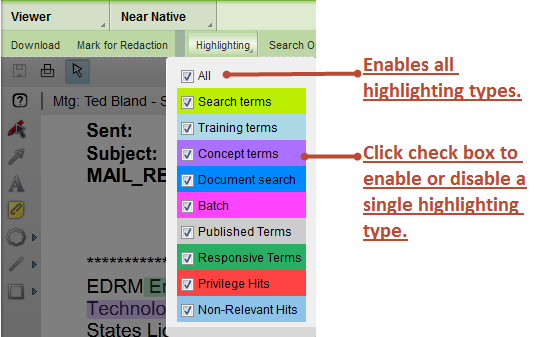
You can adjust the highlighting that displays in the document viewer.
Tip: The highlighting within a document is easier to understand if you use as few highlighting types as possible.
To see and adjust the default highlighting:
- Open the Viewer panel.
- In the toolbar of the Viewer panel, select Highlighting.
- Click a check box to enable or disable a highlighting type.
Highlighting menu

If you switch between pages, documents or views in the document viewer, highlighting types are maintained.